Wednesday, August 30, 2006

Xubuntu 6.06.1 LTS VMware Virtual Appliance

(UPDATE: Xubuntu VM has been updated to 1.0.2)


Current Version: 1.0.1

Release Date: 8/30/06


OS: Xubuntu 6.06.1 LTS
Size: 471MB
VMware Tools: Installed
login: vmware
password: vmware

Download: torrent

Description:
Xubuntu is a complete GNU/Linux based system with an Ubuntu base. It's lighter, and more efficient than Ubuntu with GNOME or KDE, since it uses the Xfce Desktop environment, which makes it ideal for old or low-end machines, as well as thin-client networks.

Tuesday, August 29, 2006

Hard Disk Backup and Restore using PBA

Hard Disk Backup and Restore Walk-through using the Personal Backup Appliance

[ There's a newer version of this guide ]

Download PBA at: http://pba-vm.sourceforge.net

Discuss PBA, Get Help, and Share Ideas on the Discussion Forums


This is a guide to using the Personal Backup Appliance to backup and restore your hard disk. The Personal Backup Appliance is an open source alternative to Ghost server. The Personal Backup Appliance, or PBA for short, is distributed as a VMware Virtual Appliance. To get started, go to the link above, download the latest release, unzip it, and power it on using VMware Player, a free download from http://www.vmware.com/download/player/
When you first power on the VM, Ubuntu Linux will boot up and automatically launch Firefox with the main information page.
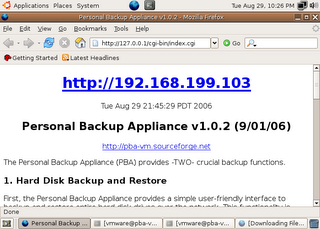
At this point, everything is setup and ready to go on the server-end. The next step is to set things up on the client-end. Please take note of the IP address that's displayed on your VM. It will most likely differ from the IP address in the screenshot. Please also take note of your VM's url.

From another system on the network, go to the PBA VM's web page, download the PBA client CD iso image from the VM, and burn it onto a CD.
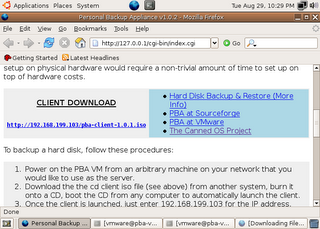
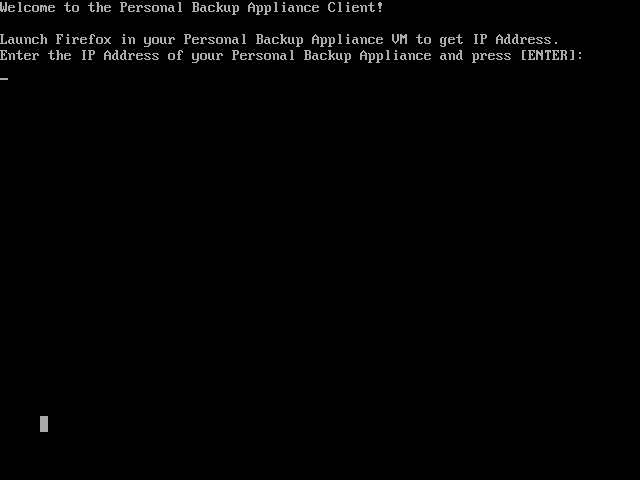
Once you have the client CD, boot it on a computer or VM on your network. To boot from CD, you may need to change the boot order in your BIOS to boot from cdrom before the hard disk. After the client CD boots, you will be greeted with a prompt asking for the IP address of your Personal Backup Appliance.
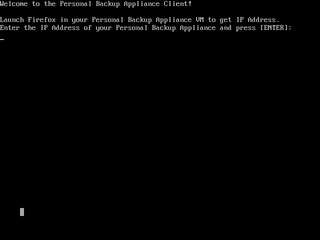
Type the IP address and press [ENTER].
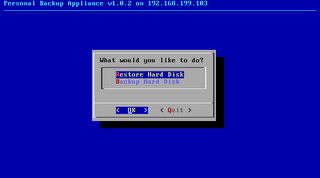
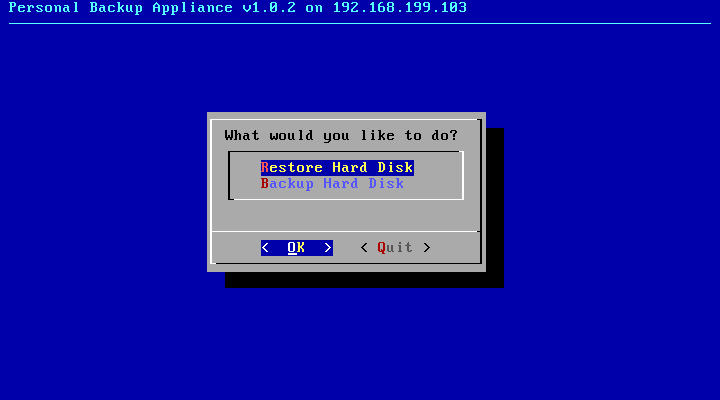
Next, you will presented with a simple menu. Use the arrow keys to navigate and Press Enter to select. Select Backup.
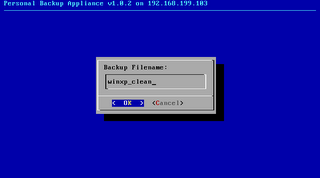
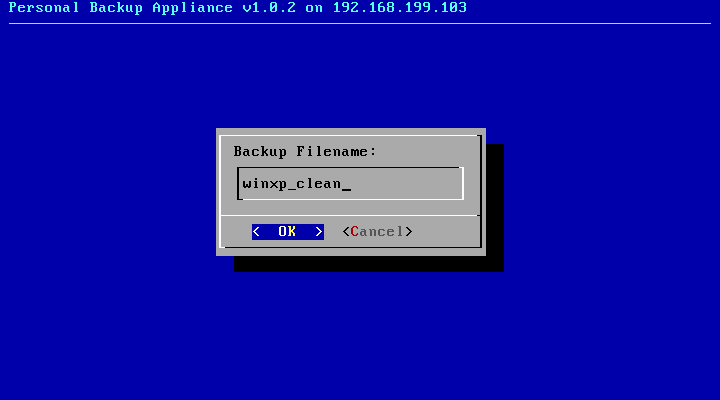
At the Backup Filename: prompt, enter in a POSIX compliant filename. If it isn't compliant, just try again.

When backing up, you will either see a partition image, ntfsclone, or dd progress screen.

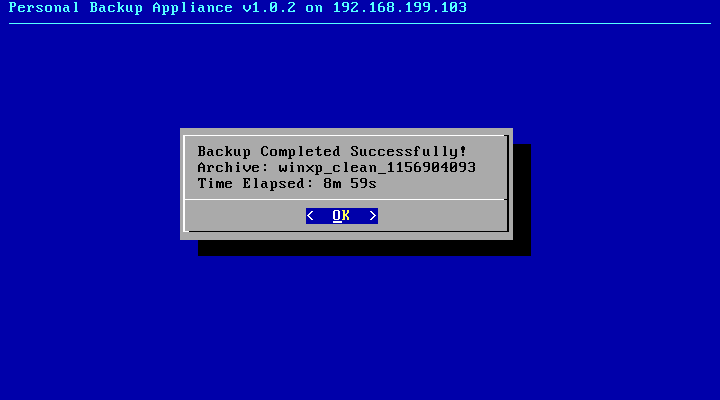
When the Backup operation is complete, you will see this screen.
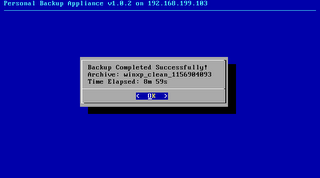
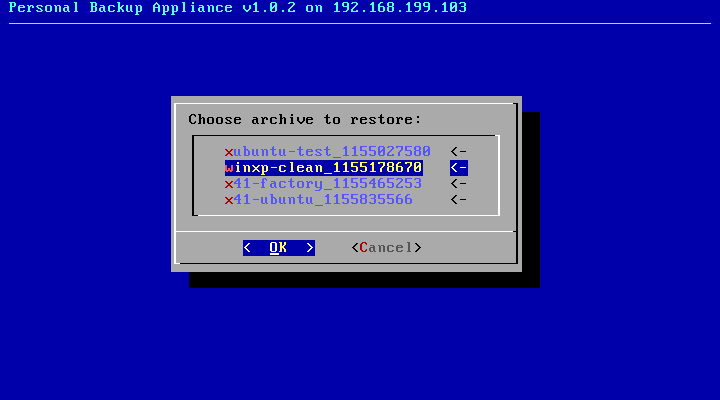
If you select the Restore option from the main menu, you will be presented with a menu to choose the archive that you want to restore.
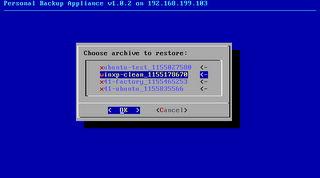
Choose the archive that you want to restore.

During the restore operation, you will see either see a partition image, ntfsclone, or dd progress screen.

When the Restore operation is completed, you will see this screen.
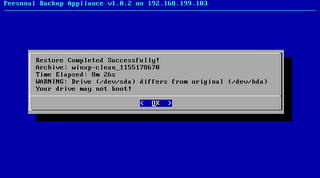
Select Quit and power off the system.

P2V - Virtualizing an existing OS install using PBA

The Personal Backup Appliance VM can be used to move an existing OS install on real hardware to a VM. The process is popularly called "P2V." "P2V" stands for "Physical to Virtual."

If the physical OS install is Linux, all you need to do is backup the OS install onto the PBA VM, create a new VM and then restore the backup into the new VM. You need to make sure you create a VM with the right storage device, either IDE or SCSI, depending on the configuration of your physical OS install.

If you try the same thing with Windows 2000 or Windows XP, things won't go quite as smoothly. In fact, you will get a scary blue screen.

The blue screen occurs because the VMware scsi drivers are not installed. This is a problem that occurs if you use any off-the-shelf disk copying program (e.g. Ghost, etc.) to dupe a real hard disk to a virtual one. The problem isn't limited to PBA.

To make the blue screen go away, you need to inject the scsi drivers and registry changes into the OS install without booting it up. There are several options, that I know of, for doing this.
  1. VMware has a product called Virtual Machine Importer that's in Beta and can be downloaded. It didn't work for me.
  2. VMware has a commercial product called P2V. I didn't try P2V.
  3. There's a free plugin to BartPE Boot CD called Ultimate-P2V. Using Ultimate-P2V to virtualize a windows XP installation worked like a charm. Follow the instructions on this page and build it: http://www.rtfm-ed.co.uk/?page_id=174
Once you have a working BartPE Boot CD with Ultimate-P2V, you can use the Personal Backup Appliance to virtualize your OS install. You can download the Personal Backup Appliance here: http://pba-vm.sourceforge.net

First, power on the Personal Backup Appliance VM. Let it boot to the Ubuntu desktop.

Next, from the physical system:
  1. Boot from the PBA client CD on the computer that you want to virtualize.
  2. At the main menu, select Backup Disk, and enter a filename.
  3. When backup is complete. Power off the system.
Now, we need to create our VM.
  1. Create a new VM with a SCSI vmdk hard disk. Choose Buslogic.
  2. Configure the VM to boot from the PBA client CD iso, then power on the VM.
  3. At the main menu, select Restore Disk and choose the archive that you just created.
  4. When restore is complete. Reboot the VM.
  5. The VM will blue screen when attempting to boot up. This is expected.
  6. Power off the VM.
  7. Configure the VM to boot from your BartPE Boot CD with Ultimate-P2V.
  8. After BartPE boots up, follow the instructions from the Ultimate-P2V site to inject both the Buslogic and LSIlogic drivers.
  9. Shutdown the VM, and let it boot from the hard disk.
If everything went as expected, your desktop from your physical computer should be booting in a VM.

Friday, August 25, 2006

Help Me Test PBA 1.0.2-RC5

One more release candidate before the final 1.0.2 release. Please help me test if you can.

Here's a download link for the patch that you can use to upgrade your PBA VM to 1.0.2-RC5.

Please see my previous posts or the included readme.txt file for instructions on how to do this. This testing update is only a 2MB download.

There are 3 main changes in RC5

- use dd & lzop instead of zsplit for raw partition backup (faster). restore of zsplit archives is still supported.
- fixed restore menu bug when there are no archives to display
- display time elapsed after backup and restore

http://prdownloads.sourceforge.net/pba-vm/pba-1.0.2-rc5.zip?download

Tuesday, August 15, 2006

PBA 1.0.2 - Release Candidate #4

Another release candidate for PBA 1.0.2, release candidate #4. 1.0.2 will be released on 9/1.
The procedure to patch your 1.0.1 installation to 1.0.2-RC4 is the same as with previous release candidates and is described in the readme.txt file in the zip.

http://prdownloads.sourceforge.net/pba-vm/pba-1.0.2-rc4.zip?download

In addition to all the changes/fixes from previous release candidates, 1.0.2-RC4 fixes the following:

1. Fixed some potential bootup problems when restoring to a blank hard disk. Some users reported bootup issues when restoring to a blank, zeroed-out hard disk. I believe this issue was due to the undocumented use of the area between the MBR and the start of the first partition. The bootup problem on my notebook went away after I made a change to backup and restore this region. I also hope that this will do away with the need to run fixmbr from the Windows recovery console in scenarios where it was required.

2. added swap file label for centos (mkswap -L)

Please help me test. there will likely be an RC5 in about a week to address other issues, and after that I guess I should refrain from doing anything major to allow for enough time to test before 1.0.2 is cut on 9/1.

Wednesday, August 09, 2006

Help me test PBA 1.0.2-Release Candidate #3

I didn't intend to do another release candidate so quickly, but I spent a bunch of time on PBA over the last couple of days and overhauled the user interface on the client end, and fixed a few corner case bugs.

Screenshots of new interface:
http://sourceforge.net/project/screenshots.php?group_id=171414

Here's a download link for the patch to v1.0.2 Release Candidate #3.

http://prdownloads.sourceforge.net/pba-vm/pba-1.0.2-rc3.zip?download

The procedure is the same as with RC2 and is documented in the readme.txt file in the zip file.

Enjoy.

Monday, August 07, 2006

Personal Backup Appliance 1.0.2-Release Candidate #2

Okay, let's try something new.

I'm getting ready to release 1.0.2 on 9/1, but I'd like to iron out as many bugs as I can, so here's a release candidate so that you can help me test. The files are released as a patch to your existing 1.0.1 PBA VM. It's only about 2MB. The readme.txt file in the zip archive has instructions on how to patch your existing 1.0.1 VM to 1.0.2-RC2. You can download pba-1.0.2-rc2.zip directly from the VM, or you can transfer the file manually by FTP or via the windows shares.

http://prdownloads.sourceforge.net/pba-vm/pba-1.0.2-rc2.zip?download

Send feedback, comments, bug reports to rxhui@users.sourceforge.net

List of Changes in 1.0.2-RC2
- fixed duplicate entries when there's more than one partition
- fixed Grub boot error by adding fixgrub Grub re-install script
- moved some startup files to /etc/rc.local
- no need to run 'sudo /home/vmware/bin/data.sh' for hdd upgrade
- add warning if drive does not match original
- few modifications to improve backing up and restoring of BSD filesystems

Wednesday, August 02, 2006

Personal Backup Appliance 1.0.1 Issues

With the release of PBA 1.0.1 , the filesystem support has improved a lot. Most notably, there is better NTFS support and support for LVM. But I after some more exhaustive testing, I found some issues. These issues do not break the core functionality of PBA, but they sure annoy me.

1. Windows backups and restores work great, but linux backups and restores on drives with Grub don't do so well. I believe this problem was present in version 1.0.0 also. I already have this fixed in my sandbox, so the next release will have it. See my previous post for a work-around that you can use in the meantime.
2. It appears that you will have additional menu entries for the same item if your drive has more than one partition. While this doesn't break functionality, it is not pretty. This blatant bug in the script will be fixed in the next release also.

Rather than roll out a release right away, I'm compiling a list of other issues to fix before I release 1.0.2 on 9/1. Let me know if you're seeing problems not listed here.

Monday, July 31, 2006

Grub may be broken after PBA restore

Windows backups and restores seem to be working well, but Linux restores may not boot up if the boot loader is Grub for reasons that I do not understand yet. Lilo does not appear to be affected. The error you will see is Grub getting stuck on boot. Only "Grub__" will be displayed. The good news is that with version 1.0.1 of the client, you can make your disk bootable by re-installing Grub. Here's how.

After the restore completes, quit out of the PBA client to the console. If you already restored your hard disk, you can boot up the PBA client again, and exit the client to the console. For these instructions, I will assume that your only linux is /dev/hda1 and you do not have a separate partition for /boot. If you have a separate partition /boot, mount it instead of the partition mounted to /.

Run these commands:
# mkdir /root/tmpmnt
# mount /dev/hda1 /root/tmpmnt
# grub-install --root-directory=/root/tmpmnt /dev/hda
# umount /root/tmpmnt
Reboot the system, and eject the PBA client CD to boot from your hard disk.

I will do this automatically in the next release of PBA.

Sunday, July 30, 2006

Personal Backup (VMware) Appliance v1.0.1 Released!

Version 1.0.1 of the Personal Backup Appliance has been released and is available for download!

Here's a list of changes:
  • ntfsclone is used for NTFS partitions.
  • partimage is used for partimage supported partitions except for NTFS
  • Device Image is used for partitions not supported by ntfsclone or partimage
  • added lzop compression for ntfsclone backups. faster than gzip.
  • removed a bunch of unnecessary packages to reduce VM size
  • PBA Client CD (pba-client-1.0.1.iso) is now based on INSERT Linux.
  • removed 'dsl-2-4' backup that was included in the 1.0.0 release
  • if more that one hard disk is found, user will be asked to choose one.
  • miscellaneous bug fixes
Personal Backup (VMware) Appliance v1.0.1
http://pba-vm.sourceforge.net

login: vmware
password: vmware
OS: Ubuntu 5.10
Size: ~300MB
License: GPL
VMware Tools Installed: Yes

DOWNLOAD: torrent
MD5SUM: 6dfafecae461b7a25067b6d456217ccb

Description:
The Personal Backup Appliance is a VMware virtual appliance that provides -TWO- crucial backup functions: (1) Hard Disk Backup, Clone & Restore (2) Simple NAS services.

Thursday, July 13, 2006

Xubuntu 6.06 LTS VMware Virtual Appliance

Current Version: 1.0.0
Release Date: 7/13/06

OS: Xubuntu 6.06 LTS
Size: 464MB
VMware Tools: Installed
login: vmware
password: vmware
Download: torrent

Description:
Xubuntu is a complete GNU/Linux based system with an Ubuntu base. It's lighter, and more efficient than Ubuntu with GNOME or KDE, since it uses the Xfce Desktop environment, which makes it ideal for old or low-end machines, as well as thin-client networks.