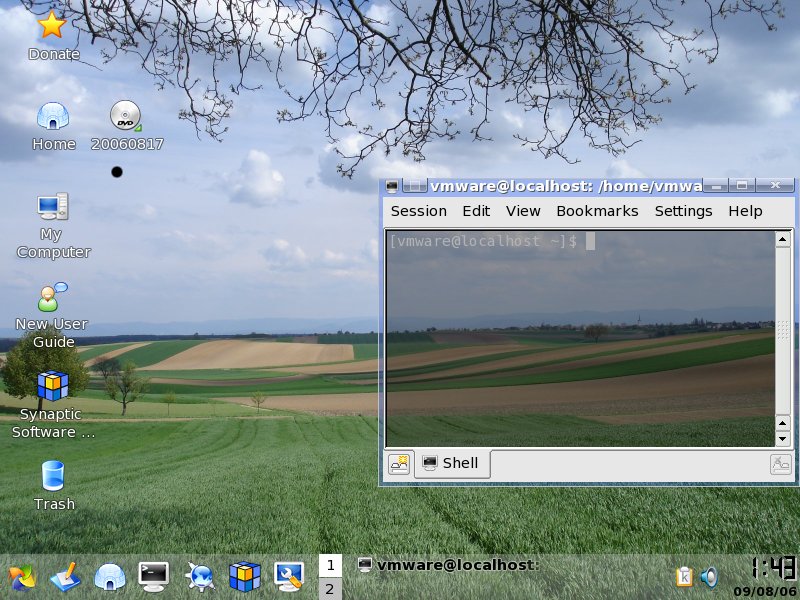
Wednesday, December 06, 2006

Xubuntu Dapper Drake 6.0.6.1 VMware Virtual Appliance version 1.0.2

Discuss this Xubuntu VM, Get Help, and Share Ideas on the Discussion Forums.

Hey there, while working on the next release of PBA, I took a break and did something else. I just released a new version of the Xubuntu Dapper Drake VM. Packages are updated, the kernel has been updated to the latest 686 kernel (previously it was a 386 kernel), VMware tools are updated, and the size has been slightly reduced. I may create an Edgy Eft 6.10 version at some point if I sense that people would be interested in it.

Here's all the relevant details and a torrent link for download.

Current Version: 1.0.2

Release Date: 12/6/06


OS: Xubuntu 6.06.1 LTS
Size: 458MB
VMware Tools: Installed
login: vmware
password: vmware

Download: torrent

Description:
Xubuntu is a complete GNU/Linux based system with an Ubuntu base. It's lighter, and more efficient than Ubuntu with GNOME or KDE, since it uses the Xfce Desktop environment, which makes it ideal for old or low-end machines, as well as thin-client networks.

Monday, December 04, 2006

Internet Explorer 6 Application Compatibility VPC Image

I don't plan on releasing any Virtual PC Appliances anytime soon, but for what it's worth, this caught my eye. Microsoft has apparently released a Virtual PC Appliance that includes a pre-activated Windows XP SP2, IE6 and the IE7 Readiness Toolkit. Microsoft is advertising this as a way to run IE6 and IE7 on the same machine simultaneously. The part that's surprising is that they are distributing a free trial copy of Windows XP with the machine. The Windows XP installation will expire in April 2007.

Wednesday, November 29, 2006

Look for Personal Backup Appliance 1.1.0 on 12/17

I've been busy working on the next release of Personal Backup Appliance. Previously, I mentioned that I would do a test release in early December, but I'm not going to do that anymore. With all the new features, it's complicated to generate a patch release that will apply nicely over 1.0.2. However, I decided on a release date for version 1.1.0. Personal Backup Appliance 1.1.0 will be released on December 17th.

Saturday, November 18, 2006

Working on Personal Backup Appliance 1.1.0

I finally have some time to work on the next release of Personal Backup Appliance. I'd like to thank all of those that sent me encouraging feedback over the past few months. Expect to see some new files to be released in December sometime. Some test files in early December, and hopefully a release by the end of the year. Here's some ramblings about what I've been working on to whet your appetite.

I've been making some architectural changes to the way PBA works. In particular, I've been breaking the functionality from the monolithic script into several command line utilities. This modularization allows me to quickly add new features. For example, I can now backup and restore to a PBA server or to a locally mounted partition on the same drive using a command-line tool, depending on what switches are specified. If time allows, I will create an option in the client GUI to do serverless local partition to file backups. This feature can potentially make the PBA client a stand-alone product that could backup and restore to a mounted volume, either local or remote. In other words, a PBA server would be optional.

I've also been playing around with adding a feature to create a system rescue CD or DVD iso from a PBA backup, similar to what you would get from big computer OEMs like Dell or HP. The iso will be based on the Insert PBA client.

Finally, I intend to move the VM to Dapper Drake. I don't know if I will be able to keep the size small, so the 1.1.0 release may be larger than desired.

I might throw in multicast support also, so people using PBA in large production environments would be able to blast disk images to more than one machine over the network.

That's all for now. I have to attend to my Dapper Drake install.

Saturday, October 28, 2006

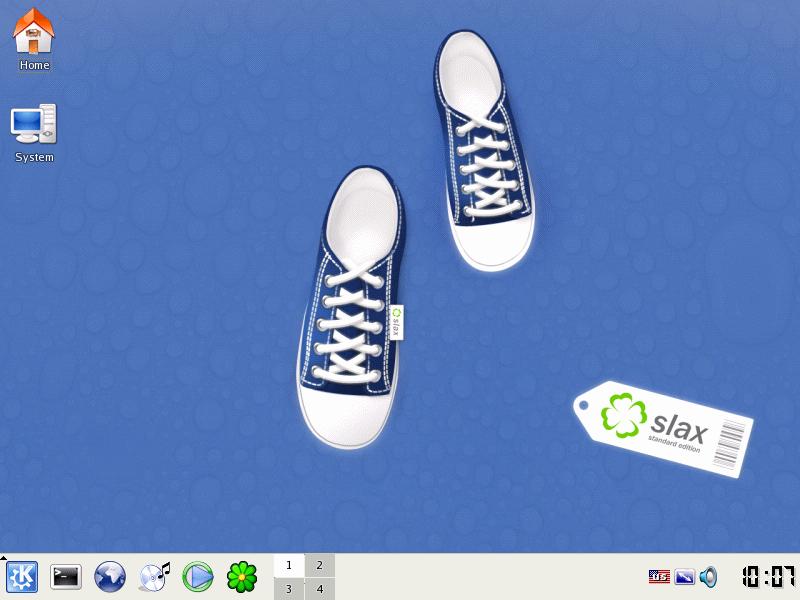
Canned OS on a Stick! Boot Slax Linux from USB Flash Drive.

Here's a walk-through for how you can boot Slax Linux from your USB stick. For these instructions, I will assume that you have Windows since that's the market-dominant OS. When you're done, you'll have a USB flash drive that has Linux, KDE, and Firefox. Plus, you can still use the USB flash drive to store files like you normally would because the USB flash drive is formatted with the FAT32 filesystem.

For this to all work, you'll need a USB flash drive that's at least 256MB. The bigger, the better. Your computer must also be able to boot from USB hard disk. Usually, there is a BIOS setting that you need to enable.

Now, you need to download the stuff that you need. First, download the Slax Standard Edition ISO from the Slax website. While you're there, also download the Mozilla Firefox 2.0 module. For the adventurous, you can try doing this with the other Slax editions also.

After you download the ISO image, burn it onto a CD. Alternatively, you can mount the iso with a virtual cd program such as Daemon Tools, Virtual CD, Winimage or some other equivalent. You just need to be able to copy the files off of the CD.

Next, create a folder on your Windows computer. For this example, I will create a folder named
c:\slaxusb. We'll call this the remaster directory.


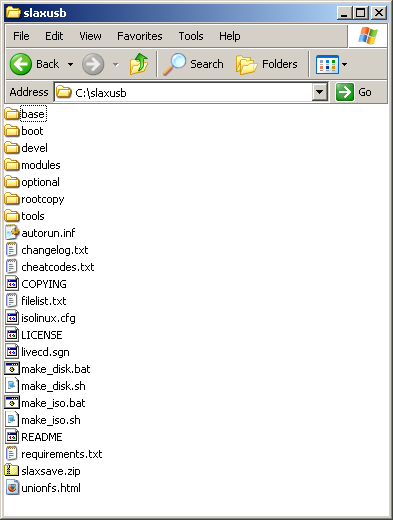
Then, copy all of the files on the CD to your remaster directory. Copy the Mozilla Firefox 2.0 module to the modules folder in your remaster directory. In my example, that would be the c:\slaxusb\modules directory. When you're done it will look sort of like this. Now edit the syslinux.cfg file that's located in the tools\WIN subdirectory in your remaster subdirectory. For me, that's the C:\slaxusb\tools\WIN directory. Find the line that starts with "append". It's probably the last line. Add autoexec=xconf;startx to the end of this line. This will make the USB stick automatically boot into KDE.

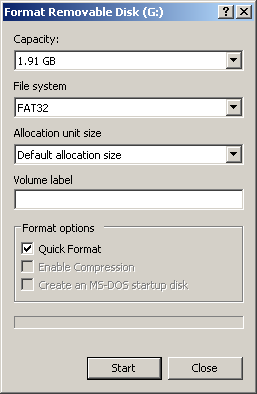
Go to My Computer, right-click on the removable disk icon for your USB Flash Drive, and select Format. Now format your USB flash drive with FAT32 filesystem. Note the drive letter of your USB flash drive.


After the drive is formatted, open up a command prompt, switch to your remaster directory, and run make_disk.bat followed by the drive letter of your USB flash drive. Here are the command prompt commands to run:
cd c:\slaxusb
make_disk g:
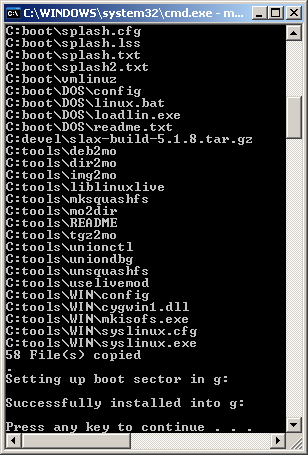
Remember to use substitute g: with the drive letter for your USB Flash drive. When the script finishes executing, you'll see a screen that looks like this.
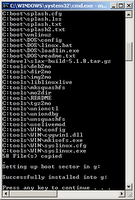


That's it! You're done. Now you have a USB flash drive that can boot Linux. Just insert your USB Flash drive in a USB port, configure your computer to boot from USB, and power on your computer.


Wednesday, October 11, 2006

Download Debian VM

I found a Debian Etch VM here. This VM is documented very well, and it's only 391MB.

I now have downloads posted for most of Distrowatch.com's Top 10. The only one left is Slackware. I'm currently working a Slackware 11 VM to distribute, but it's a complete install, so it's going to be a really huge download. I suppose I could trim it down a little if I have time.

Wednesday, October 04, 2006

Download Knoppix VM


Knoppix is a live CD distro that tries to cram as much as it can into a CD.

I found a link to a Knoppix 5.01 Vmware VM. The VM just boots from the iso image. It's similar to how the DSL Vmware VM works.

Go here to find out more.

Monday, October 02, 2006

Grandma's LAMP. It's easy enough for Grandma!

A VMware LAMP Appliance that even your Grandma can use!

Version: 1.0.0
MD5SUM: c6ebd6c649f0d8ee9d9e39522957b705
Operating System: Xubuntu 6.06.1 LTS
Size: 337MB
username: vmware
password: vmware

Download: torrent

Discuss Grandma's LAMP, Get Help, and Share Ideas on the Discussion Forums.

My friend tried other LAMP Appliances, and they were all very complicated to use, so I decided to make something that he could use, that I could use, and that my Grandma could use.

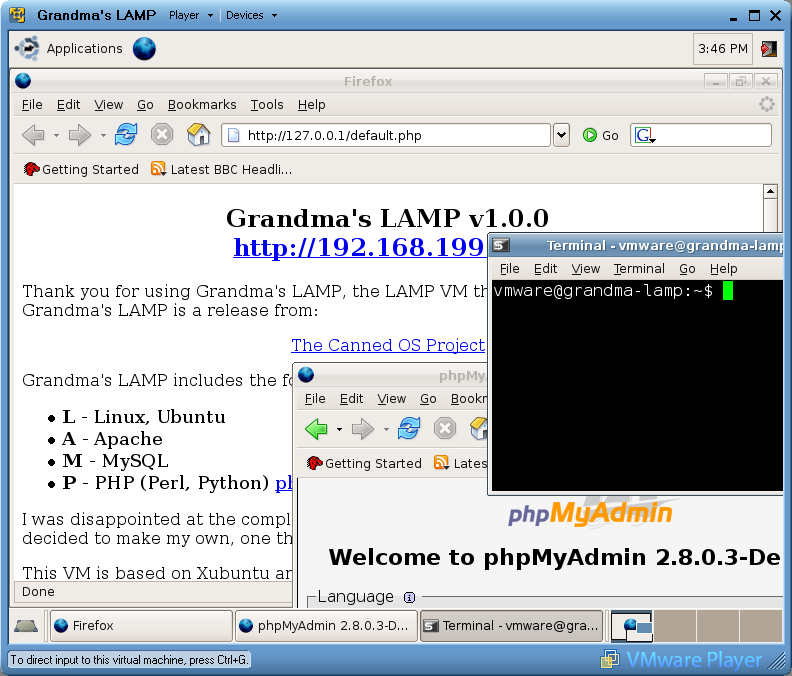
Everything is described in plain english on a web page that automatically loads when you power on the VM. Grandma's LAMP includes a development environment with the following: L- Linux, A- Apache, M- MySQL, P- PHP. Grandma's LAMP also includes extras such as phpmyadmin, Samba, and SSL. Here's a screenshot:

Tuesday, September 26, 2006

Somebody else's PCLinuxOS Big Daddy VM

I was browsing the VMware site today, and I found a link to a customized PCLinuxOS Big Daddy VM that someone else created. Click here to check it out.

Thursday, September 21, 2006

Download PCLinuxOS 0.93a Big Daddy

PCLinuxOS 0.93a Big Daddy VMware VM
Current Version: 1.0.0
Release Date: 9/21/06
MD5SUM: 18f3d02abab24e8012de9f989e14b27b


OS: PCLinuxOS
Size: 750MB
VMware Tools: Installed
login: vmware
password: vmware
root password: toor

Download: torrent

Description:
This is a VMware VM release from The Canned OS Project.
PCLinuxOS is #7 on Distrowatch.com. PCLinuxOS is based on Mandrake Linux and uses apt-get as its package manager. It's really slick! The Big Daddy Edition is for those who want lots of apps out-of-the-box from their distro.

Monday, September 18, 2006

ReactOS Virtual Machine, Windows without Windows

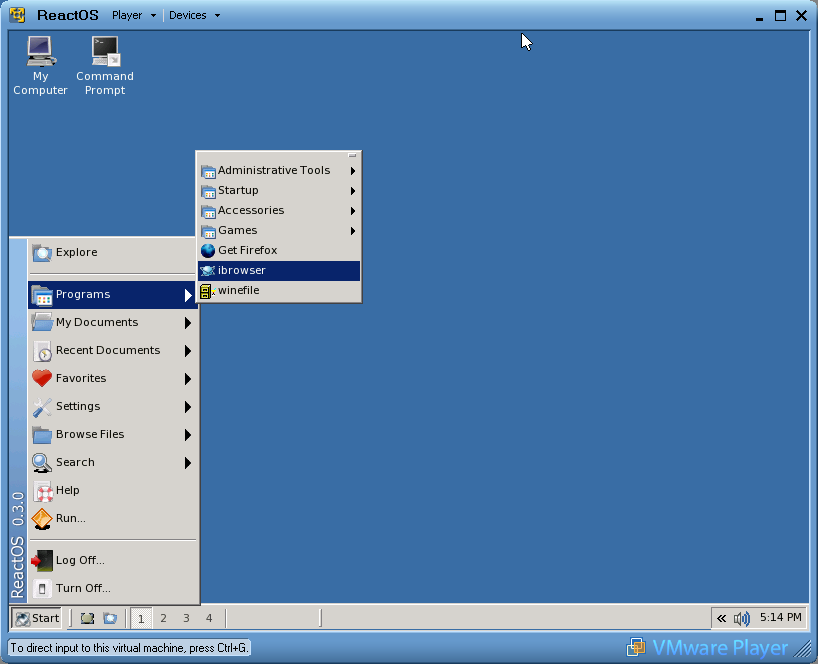
Today, ReactOS released version 0.3 which coincides with its 10th anniversary. ReactOS is a ground-up implementation of a Windows XP compatible operating system and aims to be complete binary compatible, that is, both application and driver compatible. I never tried ReactOS before, but I found out that they distribute a VMware VM, so I downloaded it and tried it. It boots up really fast, way faster than Windows XP.

Here's a screenshot of the desktop.

ReactOS is still alpha quality, and it isn't a viable replacement for Windows yet, but nonetheless, it's a very interesting project. You can download the VM here: Direct Download

Saturday, September 16, 2006

Download Damn Small VM, Distrowatch #6

Damn Small Linux is #6 on Distrowatch. Damn Small aims to be the a very functional live CD while keeping its size to a mere 50MB. I like DSL a lot.

Damn Small Linux releases a VMware VM, but I think it's basically a blank VM that boots up off of their CD iso. It would have been nice if they distributed a VM that's a hard disk install. In any case, here's the Damn Small Linux VM.

Direct Download

Download Fedora Core 5 VM, Distrowatch #3

Here's a link to a Fedora Core 5 VMware VM that I found. Somebody else made it. I haven't tried this VM yet. Let me know what you think.

Size: 976MB

See Info Page for login account and additional instructions.
Download: torrent

Download OpenSUSE VM, Distrowatch #2

I found this link to an OpenSUSE VMware VM that somebody else created. OpenSUSE is currently #2 on Distrowatch.com. I haven't tried this VM myself.

OS: OpenSUSE
Size: 884MB
VMware Tools: Installed
login: opensuse
password: opensuse


Info Page
Download: torrent

Monday, September 11, 2006

Torrent Download for Personal Backup Appliance 1.0.2

The Personal Backup Appliance version 1.0.2 is now also available as a torrent download.

Download: torrent


View: Release Notes

Saturday, September 09, 2006

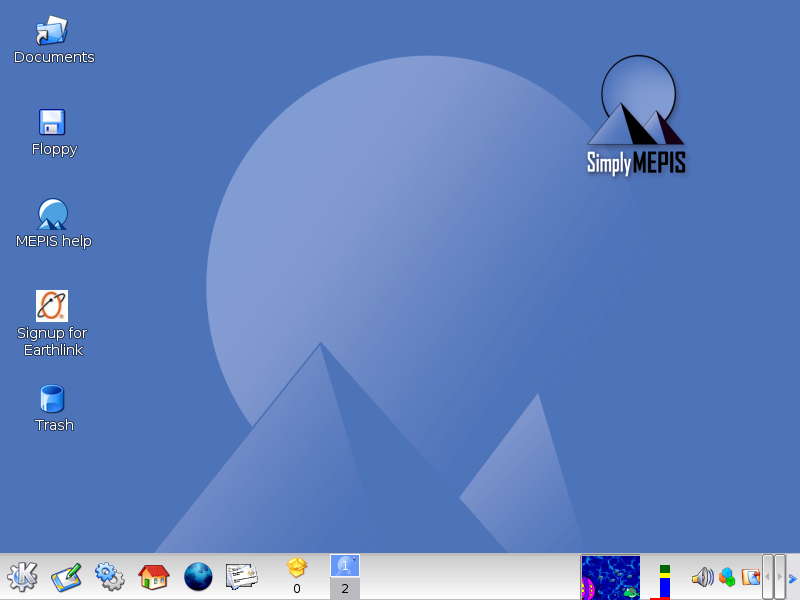
Download SimplyMEPIS 6.0 VM, Distrowatch #4

SimplyMEPIS 6.0 VMware VM
Current Version: 1.0.0
Release Date: 9/9/06
MD5SUM: 2065e33cc5c106601b8307194d7c1201


OS: SimplyMEPIS 6.0
Size: 801MB
VMware Tools: Installed
login: vmware
password: vmware
root password: toor

Download: torrent

Description:
This is a VMware VM release from The Canned OS Project.
MEPIS is #4 on Distrowatch.com. SimplyMEPIS is the desktop variant of MEPIS.

Friday, September 08, 2006

Download PCLinuxOS 0.93a MiniMe VM, Distrowatch #7

PCLinuxOS 0.93a MiniME VMware VM
Current Version: 1.0.0
Release Date: 9/8/06
MD5SUM: c097da4aee3e08e989106471cfec362b


OS: PCLinuxOS
Size: 343MB
VMware Tools: Installed
login: vmware
password: vmware
root password: toor

Download: torrent

Discuss this this PCLinuxOS VM, Get Help, and Share Ideas on the Discussion Forums.


Description:
This is a VMware VM release from The Canned OS Project.
PCLinuxOS is #7 on Distrowatch.com. PCLinuxOS is based on Mandrake Linux and uses apt-get as its package manager. It's really slick! The MiniMe edition is a bare desktop, so it's perfect for distribution as a VM.

Download Mandriva VM, Distrowatch #5

Mandriva is #5 on the Distrowatch.com site. You can download a VMware image of Mandriva Linux 2006 directly from Mandriva. I haven't tried this VM, but I'd be interested in knowing what you think about it. Enjoy.

Size: 603MB
Download

Thursday, September 07, 2006

Download Ubuntu VM, Distrowatch #1

I found this link to an Ubuntu Dapper VMware VM that somebody else created. Ubuntu is currently #1 on Distrowatch.com. I haven't tried this VM myself. It's distributed as an rar file torrent download.

OS: Ubuntu 6.0.6 LTS
Size: 808MB
VMware Tools: Installed
login: ubuntu
password: ubuntu


Info Page
Download: torrent

Spreading the Linux Distrowatch Love

I'm going to start maintaining a list of VMware VM downloads for the Top 10 distros listed on distrowatch.com so that I can spread the linux love. It's sort of like a one stop shop for downloading the most popular linux distros to try out. If there's an existing VM download, I will link to it. If there isn't an existing VM download, I will create one myself and set up a bittorrent download.